Variable Rate
Variable Rate sets a Minimum, Default, and Maximum rate instead of a single fixed amount. This lets the operator adjust the rate during Mix Preview, with your Min/Max acting as safety boundaries on the resulting mix.
Use this when the correct rate can vary by field or situation, but you want to cap it so the operator can't apply too little or too much.
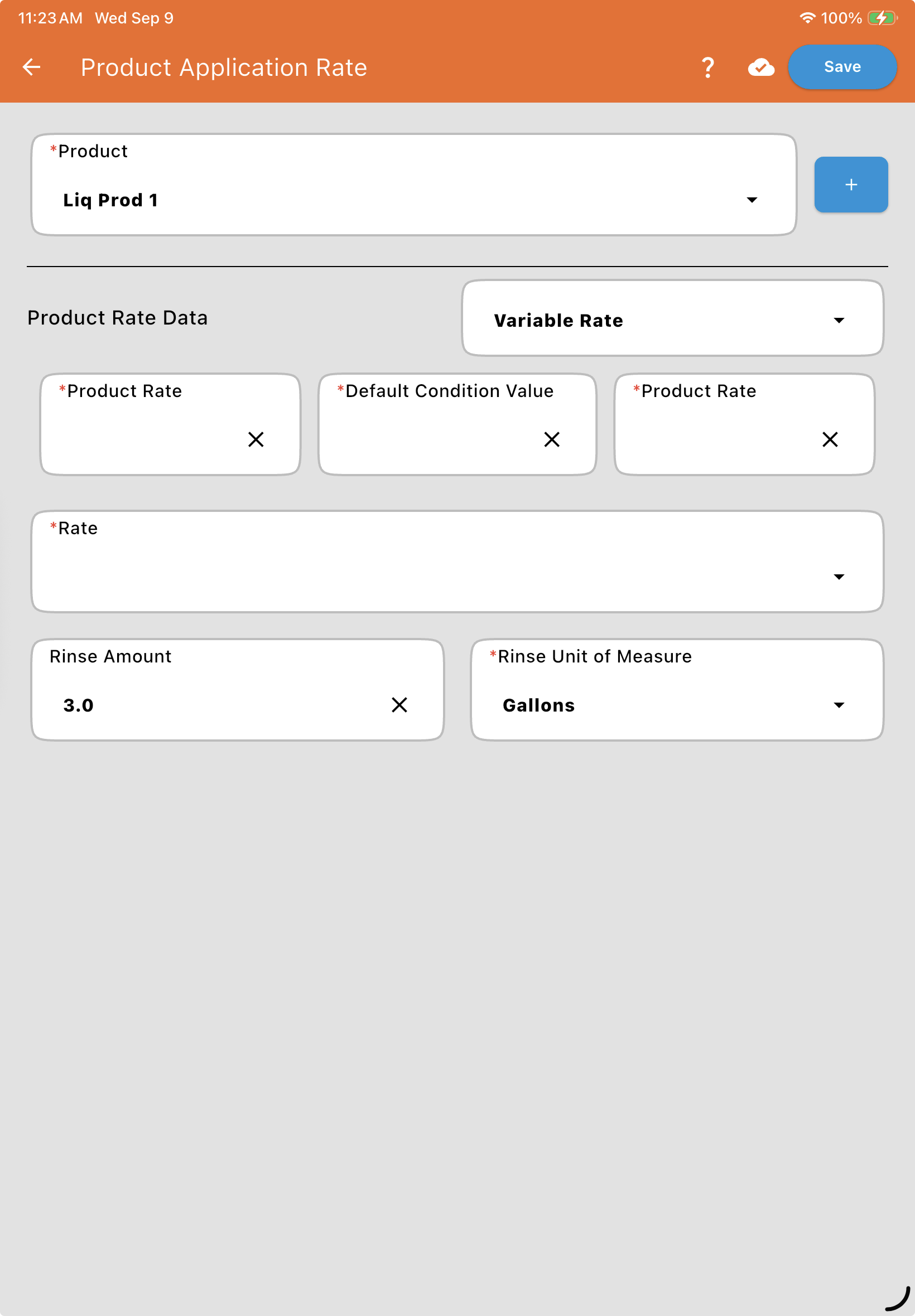
Note: On this screen, the three fields appear in order as Product Rate (Minimum), Default Condition Value (Default), and Product Rate (Maximum). The operator can type in any value during Mix Preview — but if it falls outside your Minimum/Maximum, the mix calculations use the Minimum or Maximum instead of the value entered.
See Mix Preview for how this behaves live during a mix.