Custom Condition
Custom Condition automatically adjusts a product's rate based on a user-defined Condition — like Wind Speed — instead of using a flat rate. It references a Condition you've already created, and lets you build a custom curve mapping condition values to product rates. This creates a "smart" Work Order that reacts to the field.
Use this when the correct amount of product genuinely depends on a changing field condition — for example, ramping up a drift retardant as wind speed increases.
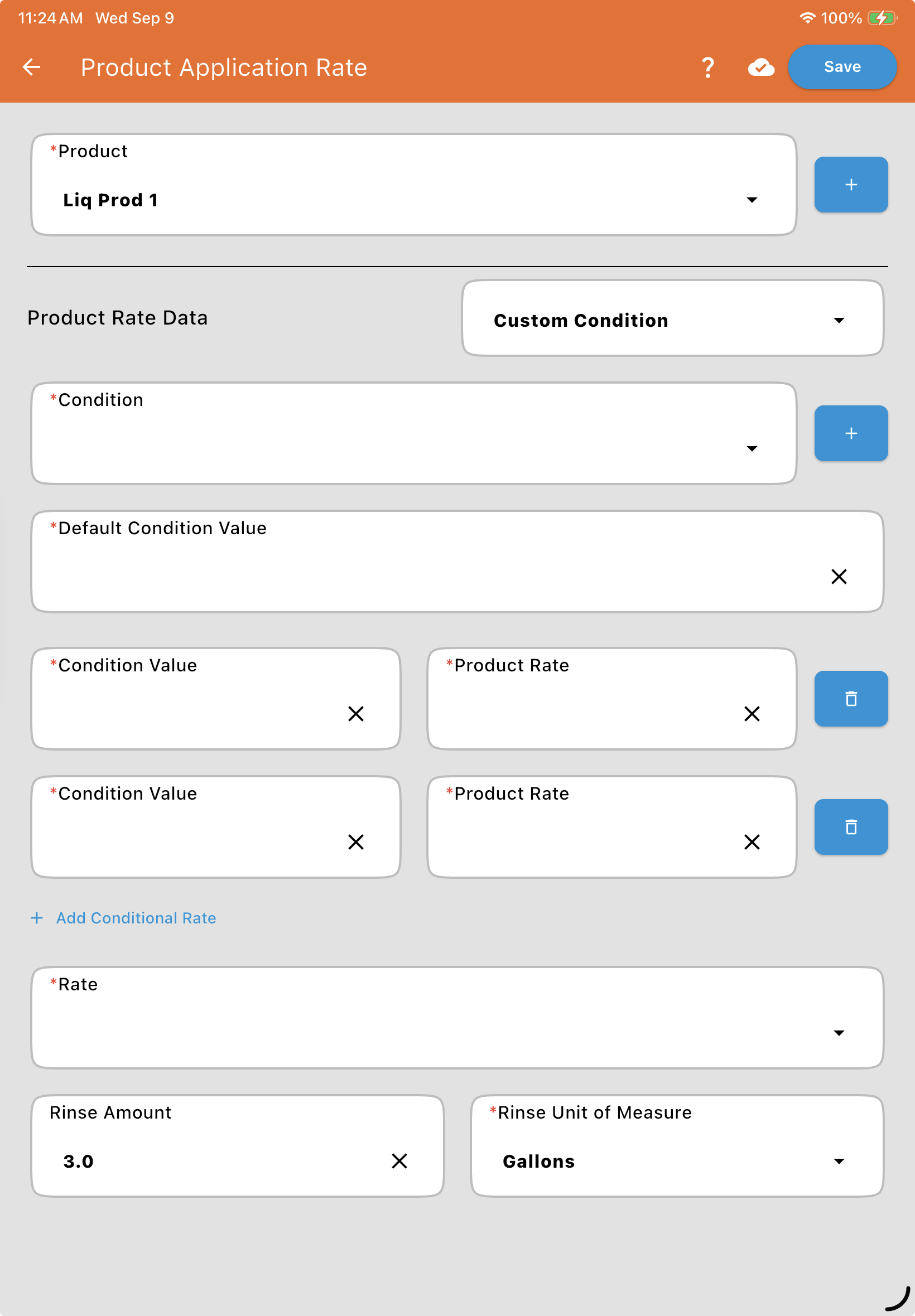
Setup steps:
Select the Condition: Choose the specific condition this product should reference (e.g., Wind Speed).
Default Condition Value: The value the app should use as a starting point when you first open Mix Setup — e.g., 0, so it initially assumes no wind until updated with live data.
Condition Value and Product Rate points: Build your curve as a series of points. To create a "step" where nothing happens until a threshold is met, use points very close together.
Example: See video above. No drift control needed below 5 mph wind. At 5 mph, the rate starts at 1 pint/100 gallons. It scales up to a maximum of 3 pints/100 gallons at 15 mph. You'd enter points like: 0 mph → 0, 4.99 mph → 0, 5 mph → 1 pint, 15 mph → 3 pints. Between 5 and 15 mph, Mixmate interpolates the rate linearly — at 10 mph, for example, it would land around 2 pints/100 gallons.
Note: The operator can enter any Condition value they want, even outside the range of points you've built. If they do, the mix calculations use the rate at the nearest end of your curve (e.g., entering 20 mph in the example above would still use the 3 pints/100 gallons rate defined at 15 mph) rather than extrapolating beyond it.
See Mix Preview for how adjusting the Condition's value plays out live during a mix.