For Destination
Use this when a component only needs to run if the product is headed to a specific tank or sprayer.
Behavior: Links to a specific Destination in your database. If you select "Sprayer 1," this valve/pump only activates when the mix is assigned to "Sprayer 1."
Warning: This creates a database link; if you delete the destination from the system, this action will break.
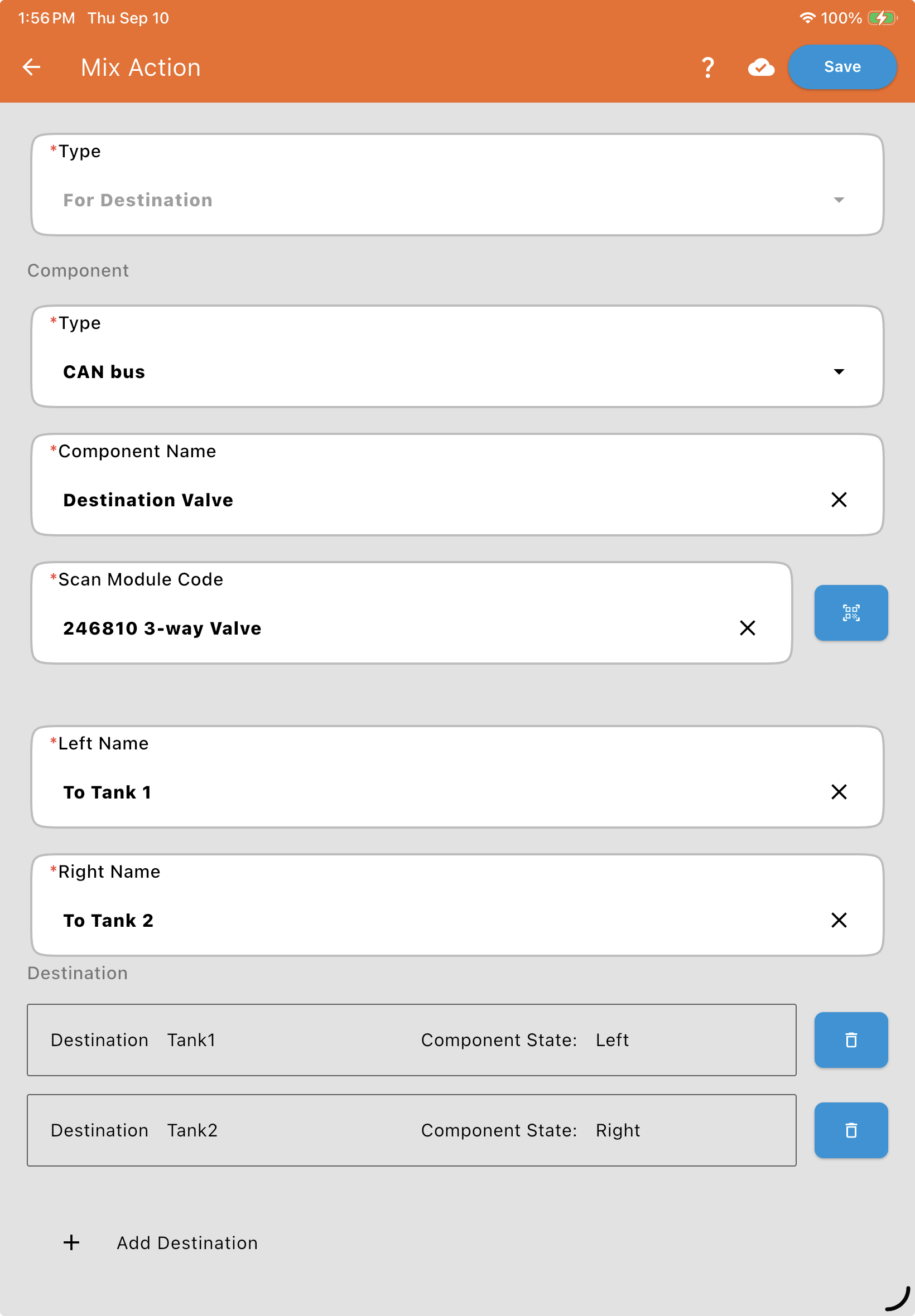
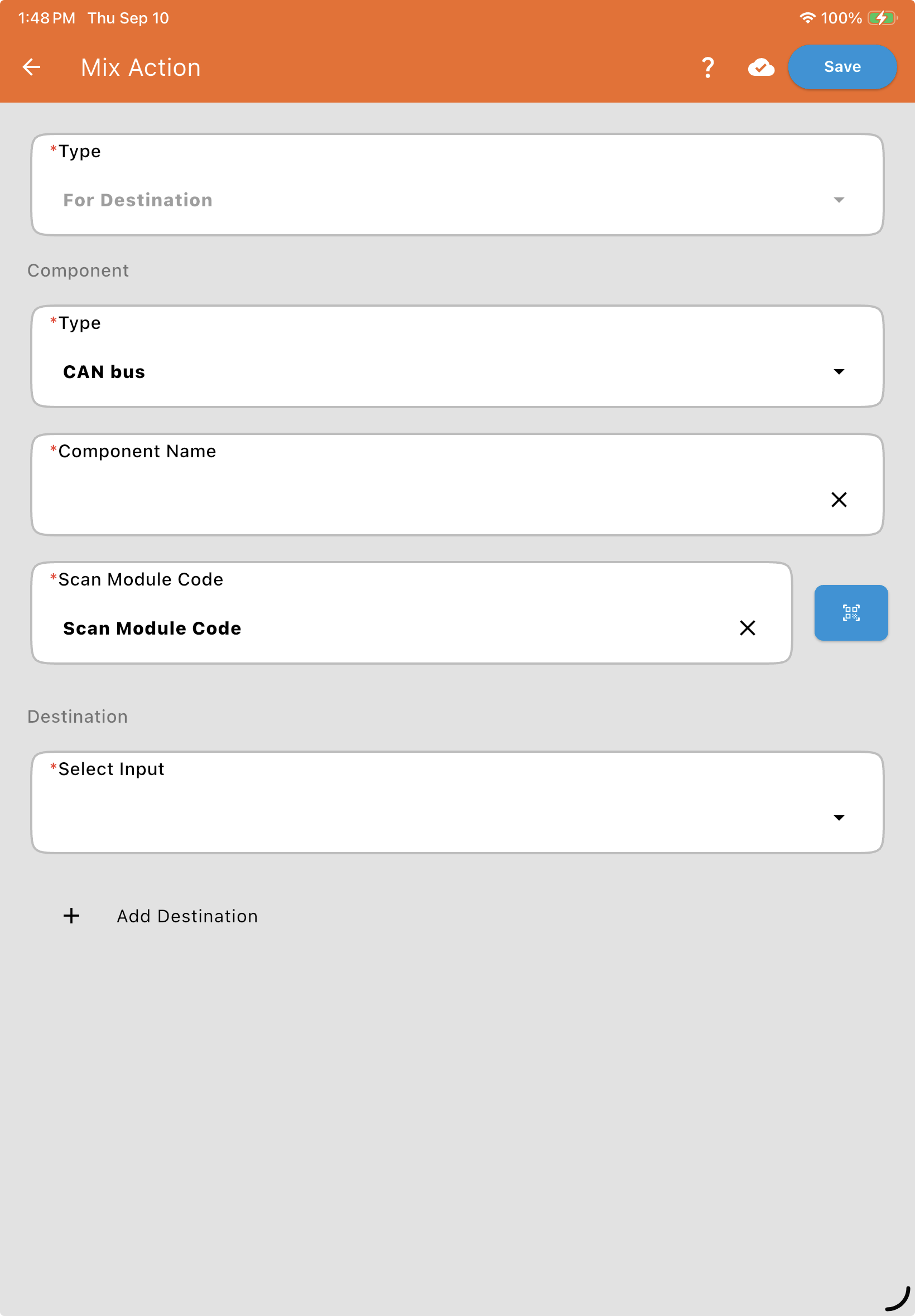
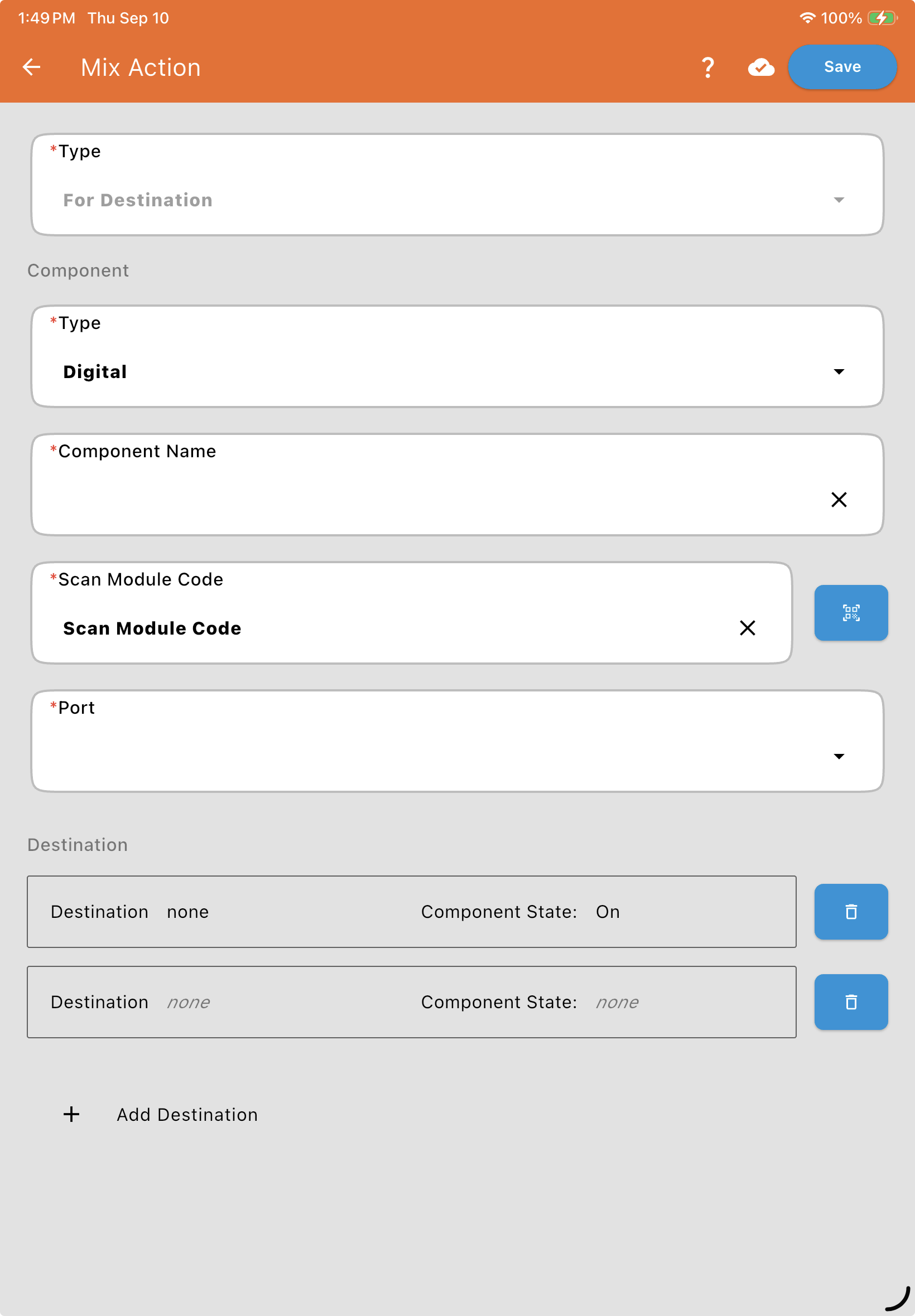
Component: Choose its Component Type, CAN bus or Digital, then enter a Component Name* and either its Valve Information (QR Code)* (CAN bus) or where it's Wired To* (Digital: its module and port, since a Digital module can drive more than one component), and its Serial Number. See Valve and Flowmeter Fields. If the valve is a 3-way valve, you'll also name its two positions with Left Name* and Right Name*.
Select a Destination: Choose the destination that triggers this component.
+ Add Destination: Tap this to trigger the component for more than one destination. Each destination gets its own row with a Select Input dropdown and a Component State dropdown (On/Off, or the valve's Left/Right names for a 3-way valve). Use the trash icon to remove a row.
For example, a single 3-way valve could route to Tank 1 when Left and Tank 2 when Right — each destination assigned its own Component State: