Conditions
A Condition is a specific piece of information recorded during a mix. Conditions serve two main purposes:
Reporting: Providing a detailed record of the environment or field status at the time of the application.
Dynamic Adjustments: Automatically adjusting product amounts in a Work Order based on entered data before a mix starts.
Conditions do not have to be tied to a Work Order or used to adjust a rate — you can turn on Apply to Every Mix to simply force the information to be recorded every time, purely for your records.
Common examples include:
Weather: Wind Speed, Wind Direction, Temperature, and Humidity.
Field Status: Has Kochia, Pigweed Height, or "Are Bugs Present?"
Anything else you want to quantify: A Condition can track whatever numeric value matters to your operation, not just weather or weeds.
Logic: Product Rate adjustments — see Mix Preview, where the operator actually makes the final adjustment before mixing.
Creating a New Condition
Section titled “Creating a New Condition”Go to Data > Conditions and press the blue "+" button in the lower right corner.
Condition Entries
Section titled “Condition Entries”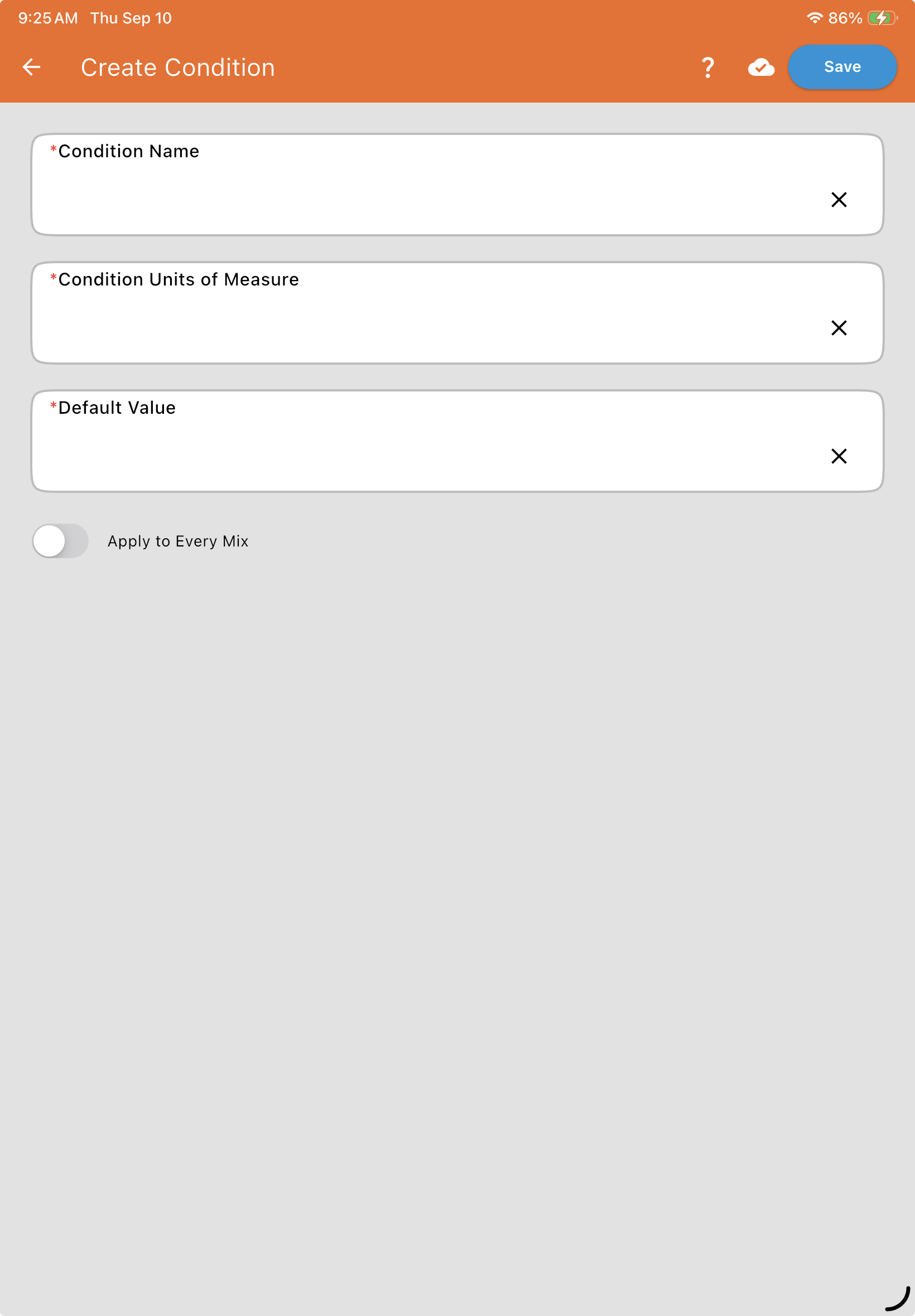
| Field | Description |
| Condition Name* | The title that appears in dropdown lists (e.g., "Wind Speed"). |
| Condition Units of Measure* | The units used to quantify the condition (e.g., "MPH" for wind, "Degrees" for direction, or "Inches" for weed size). |
| Default Value* | The starting value for the condition. This is almost always set to 0 so it is obvious if the user does not modify the value prior to running the mix. |
| Apply to Every Mix | When turned ON, this condition is shown for editing directly on the Mix Preview page for every single mix performed, rather than only appearing when a specific product in the Work Order requires it. |
Using Conditions for "Smart" Work Orders
Section titled “Using Conditions for "Smart" Work Orders”Conditions become extremely powerful when linked to product rates. For example, you can use the Custom Condition rate type in a Work Order to automatically adjust a product rate based on entered data before a mix starts.
Wind Direction Example
Section titled “Wind Direction Example”When measuring Wind Direction in "Degrees":
0 = North
180 = South
Recording this as a condition ensures that your application records are detailed and provides clarity on environmental factors for every single mix performed.