Connect to a Mass Flowmeter
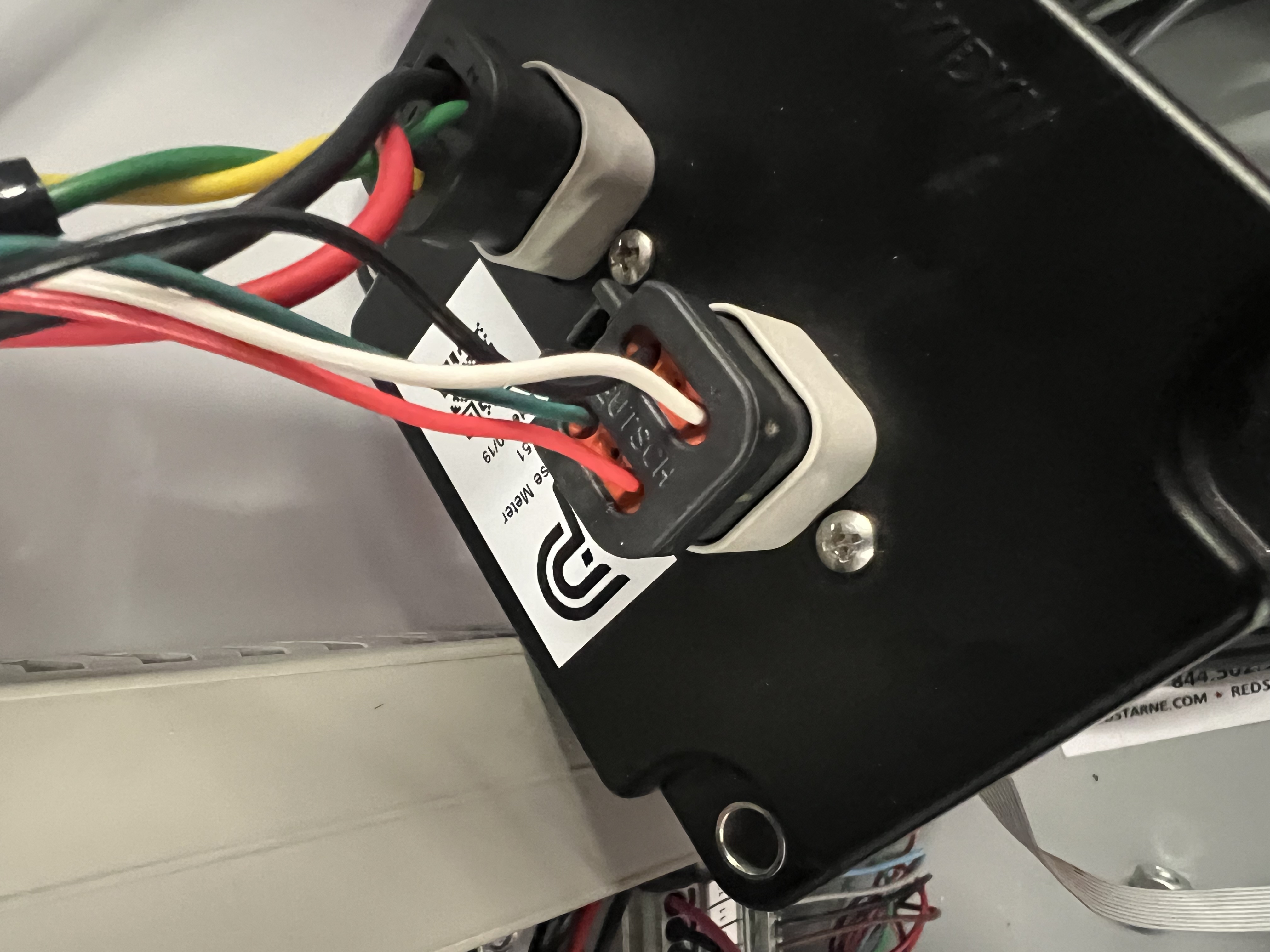
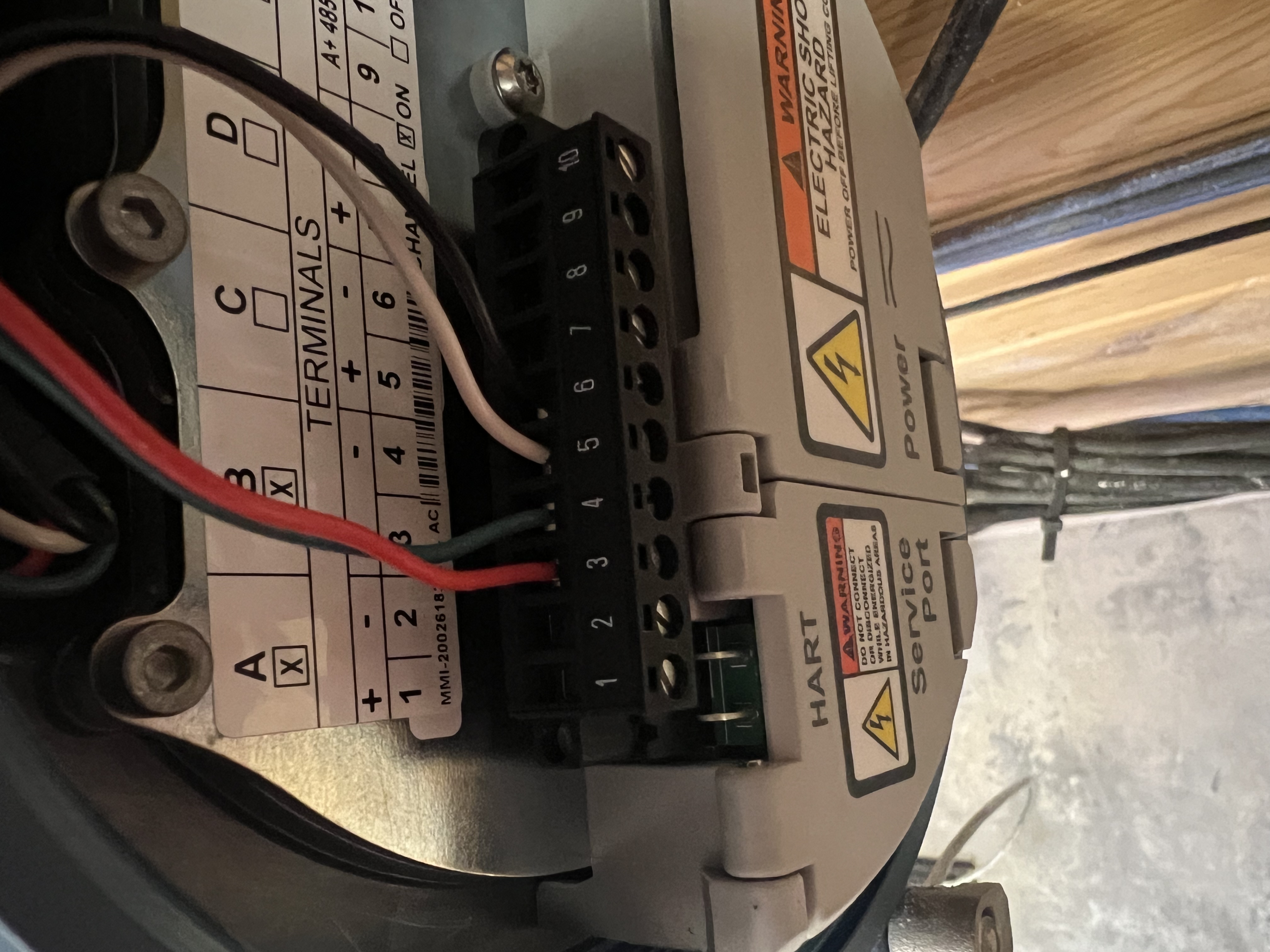
Connecting a Mass Flowmeter requires a 4-wire configuration using two distinct pairs to transmit both volume and weight pulses to the Mixmate module.
1. The 6-Pin Connector (Mixmate Side)
Section titled “1. The 6-Pin Connector (Mixmate Side)”You will utilize four specific pins on the Mixmate connector. It is essential to keep the pairs matched correctly:
Pair 1 (Volume): Pins 1 and 3
Pair 2 (Weight): Pins 4 and 6
2. Flowmeter Side (Display Connections)
Section titled “2. Flowmeter Side (Display Connections)”Wire each pair from the Mixmate module into the corresponding pulse outputs on the Mass Flowmeter display.
3. Flowmeter Configuration (The Pulse Setup)
Section titled “3. Flowmeter Configuration (The Pulse Setup)”Once the physical wiring is complete, you must enter the Mass Flowmeter’s internal settings menu to assign the output signals:
Output 1 (Linked to Pins 1 & 3): Set to Pulse Output: Volume.
Output 2 (Linked to Pins 4 & 6): Set to Pulse Output: Weight.
[!TIP] Check your K-Factors: Ensure the pulse frequency (K-Factor) set in the flowmeter matches the values entered into the Mixmate App to ensure accuracy between the two displays.